How to find your model
Pick your device. We'll show where to find the model, even if the device won't turn on.
How to find your MacBook model
The MacBook turns on
- Click the Apple logo in the top left corner.
- Choose About This Mac.
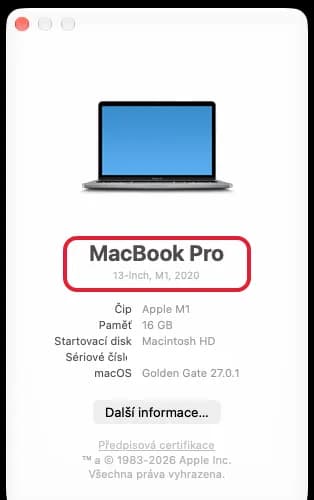
You'll see something like "MacBook Pro" with "13-inch, M1, 2020" below it. Type both into the search. On an older Mac the largest text is the name of the system, such as "macOS Monterey". The model is the smaller line below it.
The MacBook won't turn on
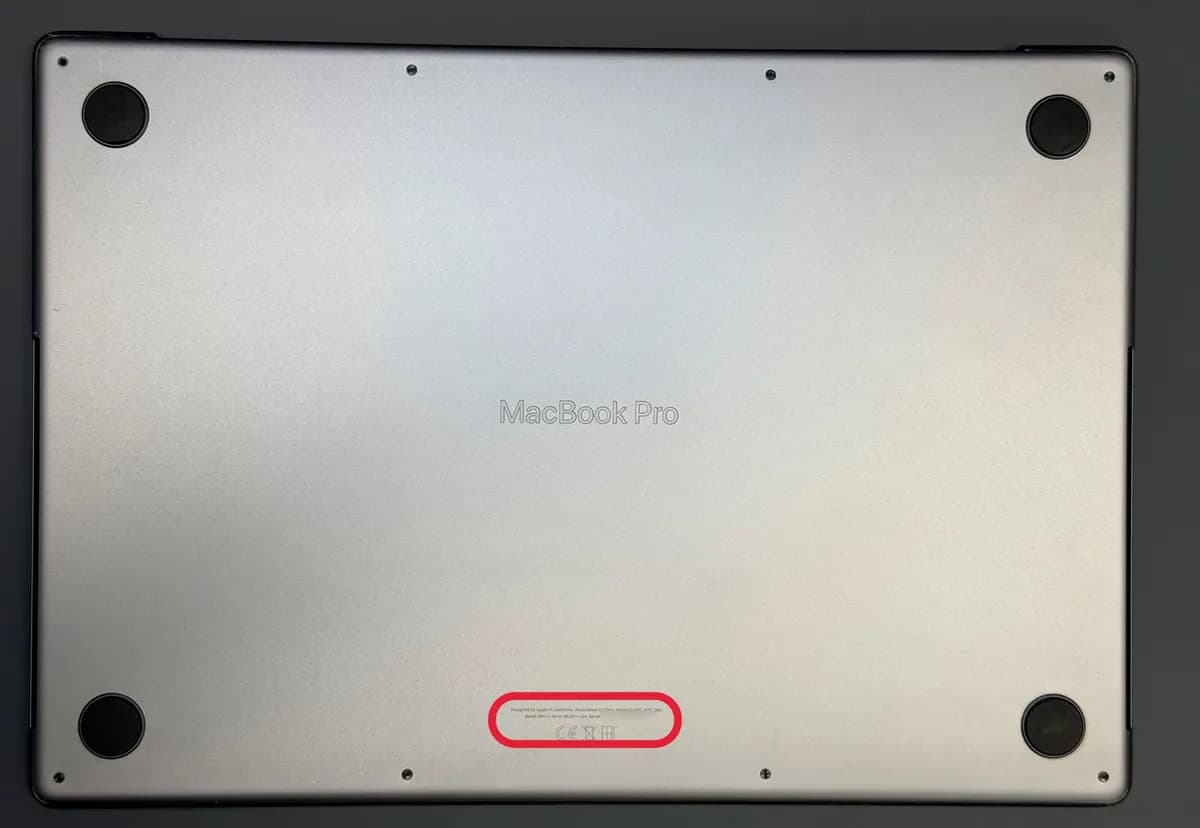
- Turn the MacBook upside down.
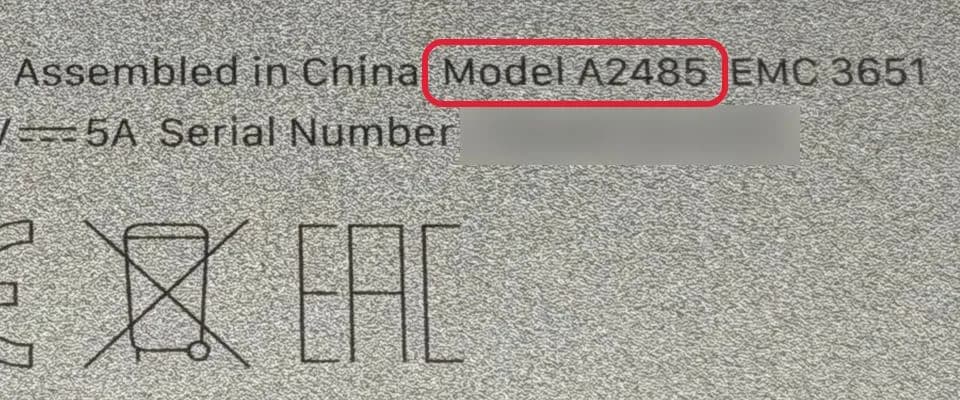
- Near the edge there is small text. The model follows the word "Model", for example "Model A2485".
How to find your iPad model
The iPad turns on
- Open Settings.
- Tap General.
- Tap About.
- Your model is on the Model Name line.
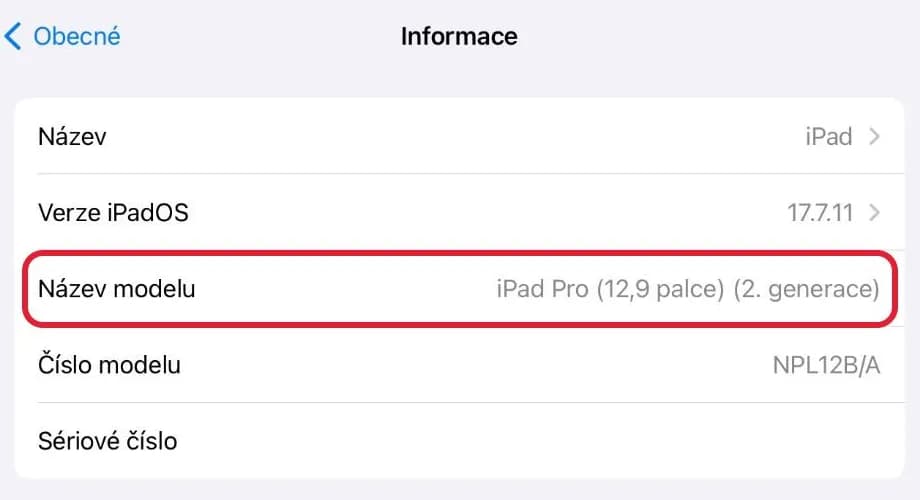
You'll see something like "iPad Pro (12.9-inch) (2nd generation)". The Model Number line shows a different code. Tap it and a number starting with A appears.
The iPad won't turn on
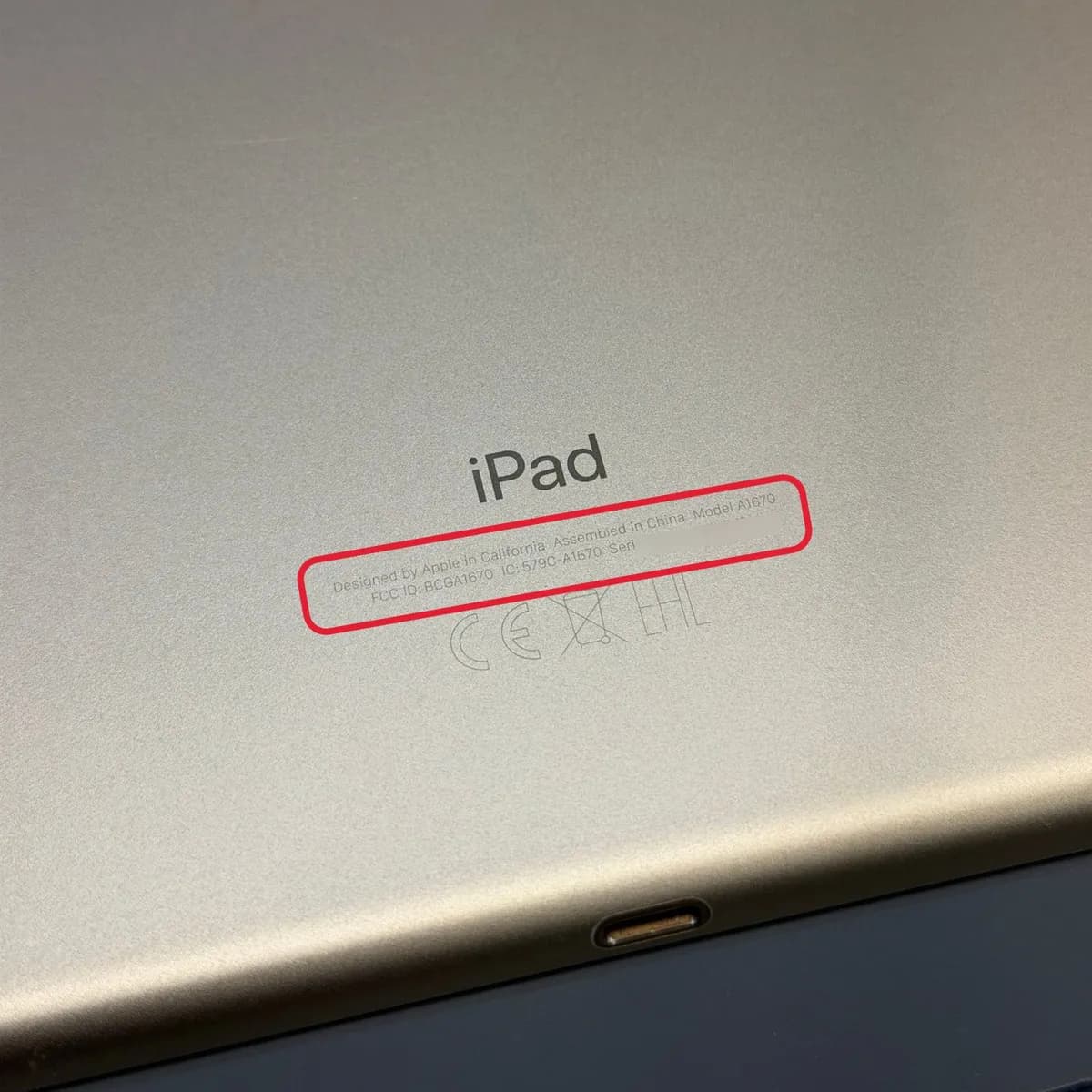
- Turn the iPad over.
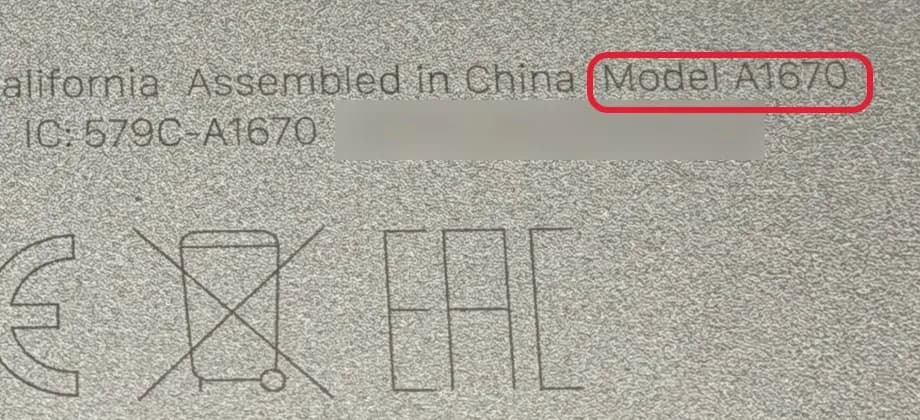
- Near the bottom there is small text. The model follows the word "Model", for example "Model A1670".
- If it isn't there, shine a light into the charging port. The number is on its upper side, the side facing the display.
How to find your iPhone model
The iPhone turns on
- Open Settings.
- Tap General.
- Tap About.
- Your model is on the Model Name line.
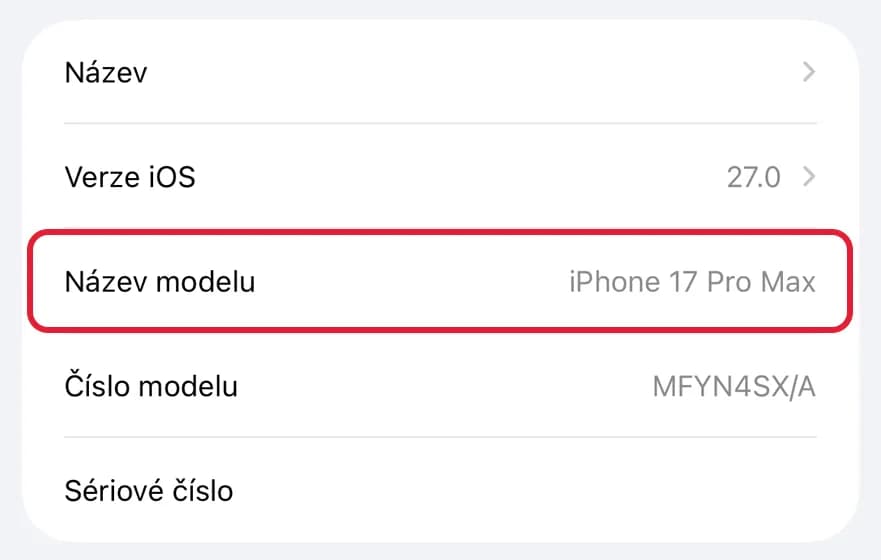
You'll see something like "iPhone 17 Pro Max". The Model Number line shows a different code. Tap it and a number starting with A appears.
The iPhone won't turn on
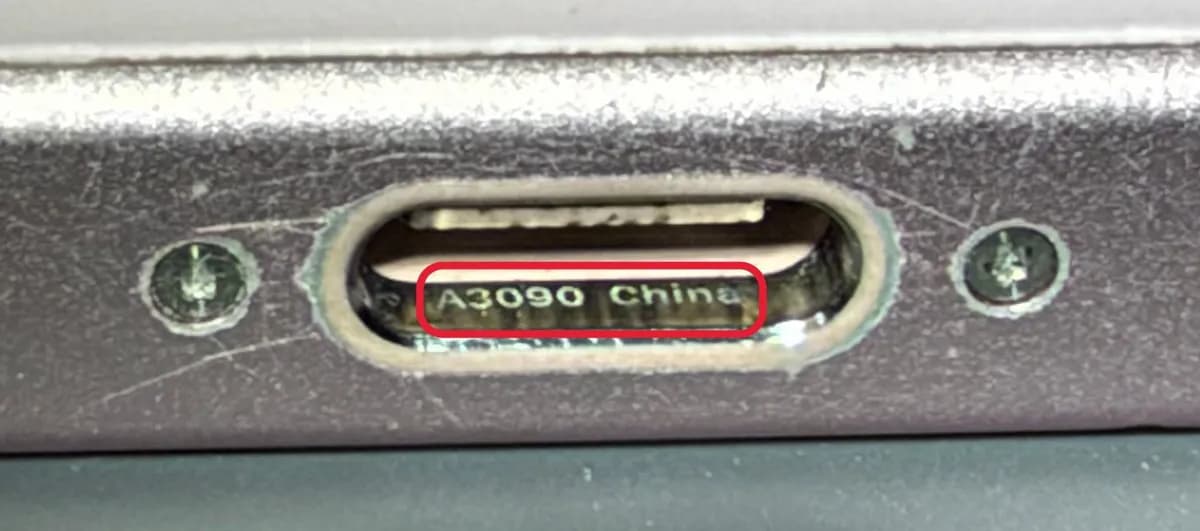
- iPhone with a USB-C port (iPhone 15 and later): shine a light into the charging port. A small number starting with A is printed inside, for example A3090.
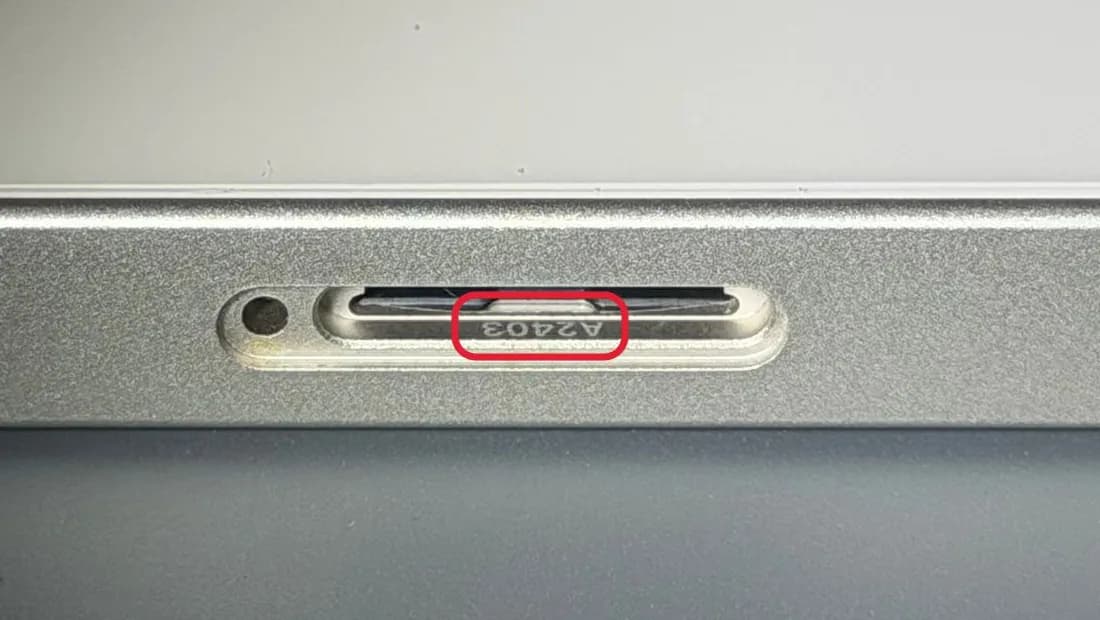
- Older iPhone with a Lightning port: push a paper clip into the hole next to the SIM tray and pull the tray all the way out. Shine a light into the slot; the number starting with A is inside.
- The long number on the tray itself is the IMEI, not the model.
How to find your Mac model
The iMac, Mac mini or Mac Studio turns on
- Click the Apple logo in the top left corner.
- Choose About This Mac.
The window looks the same as on a MacBook. You'll see something like "iMac" with the size, chip and year below it. Type both into the search.
The Mac won't turn on
- Turn a Mac mini or Mac Studio upside down. On an iMac, look under the stand.
- Find the small text "Model" followed by a number, for example "Model A2438".
How to find your Apple Watch model
On the back of the watch
- Turn the watch face down.
- The back shows the series and size, for example "Series 7" and "41MM".
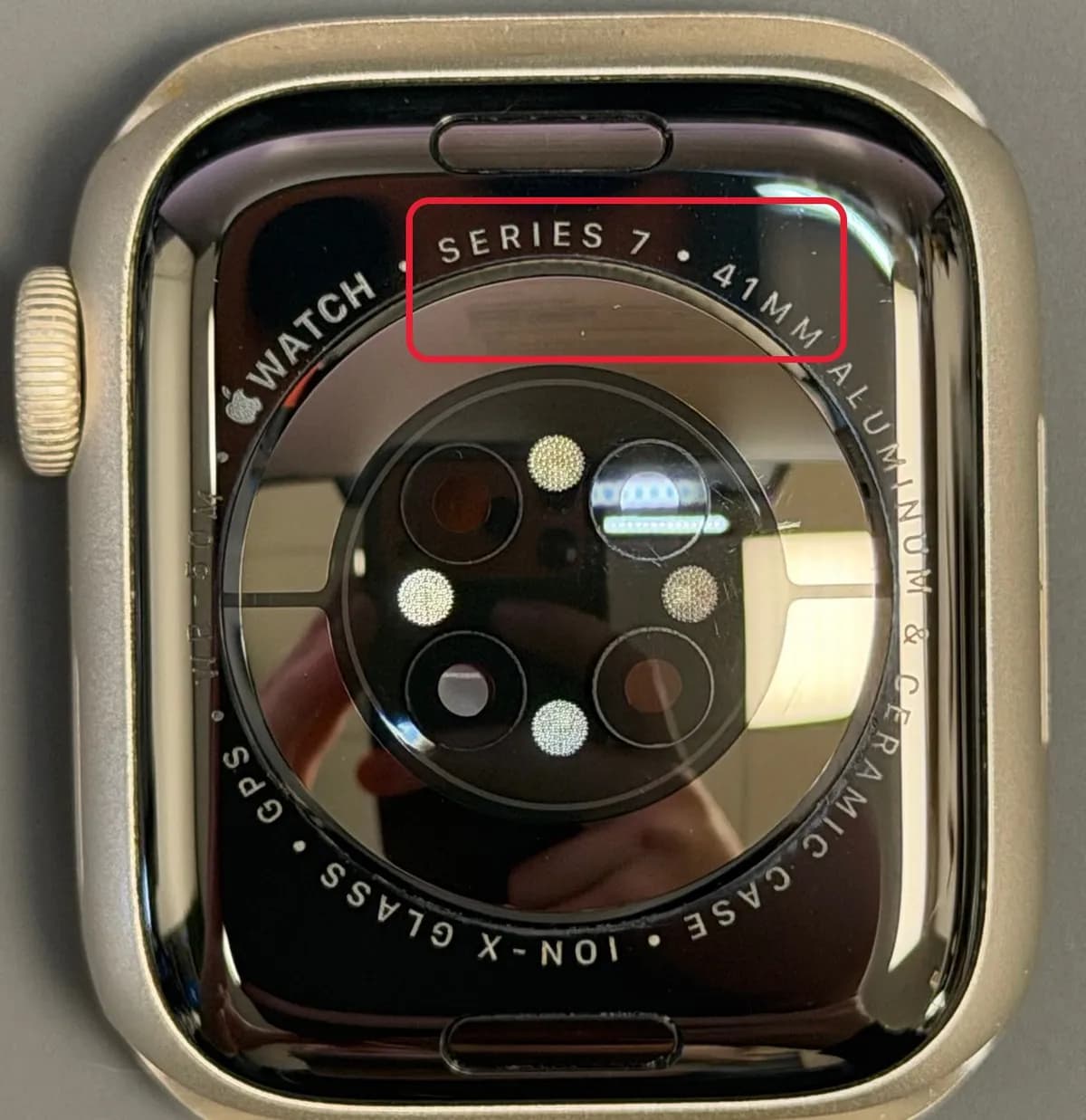
Type both into the search, for example Series 7 41mm. This works even if the watch won't turn on.
How to find your AirPods model
The AirPods are paired with your iPhone
- Open the AirPods case next to your iPhone.
- On the iPhone, open Settings.
- Tap Bluetooth.
- Tap ⓘ next to the AirPods.
- Your model is on the Model Number line.
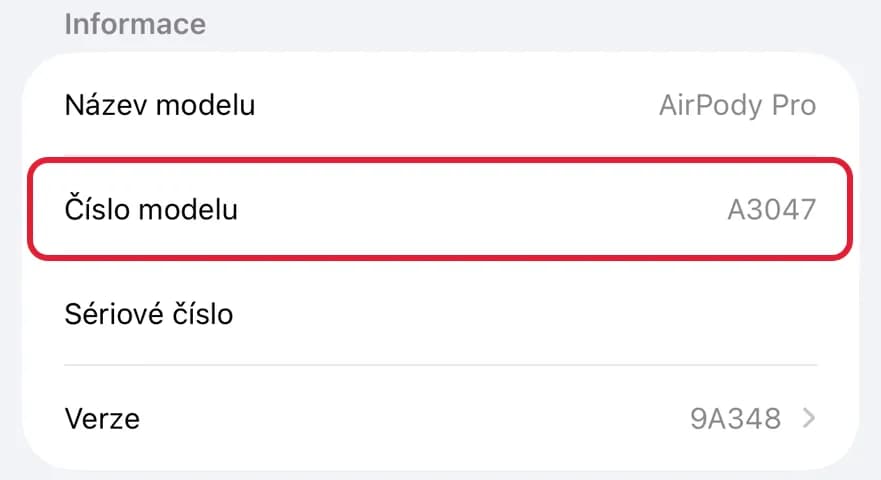
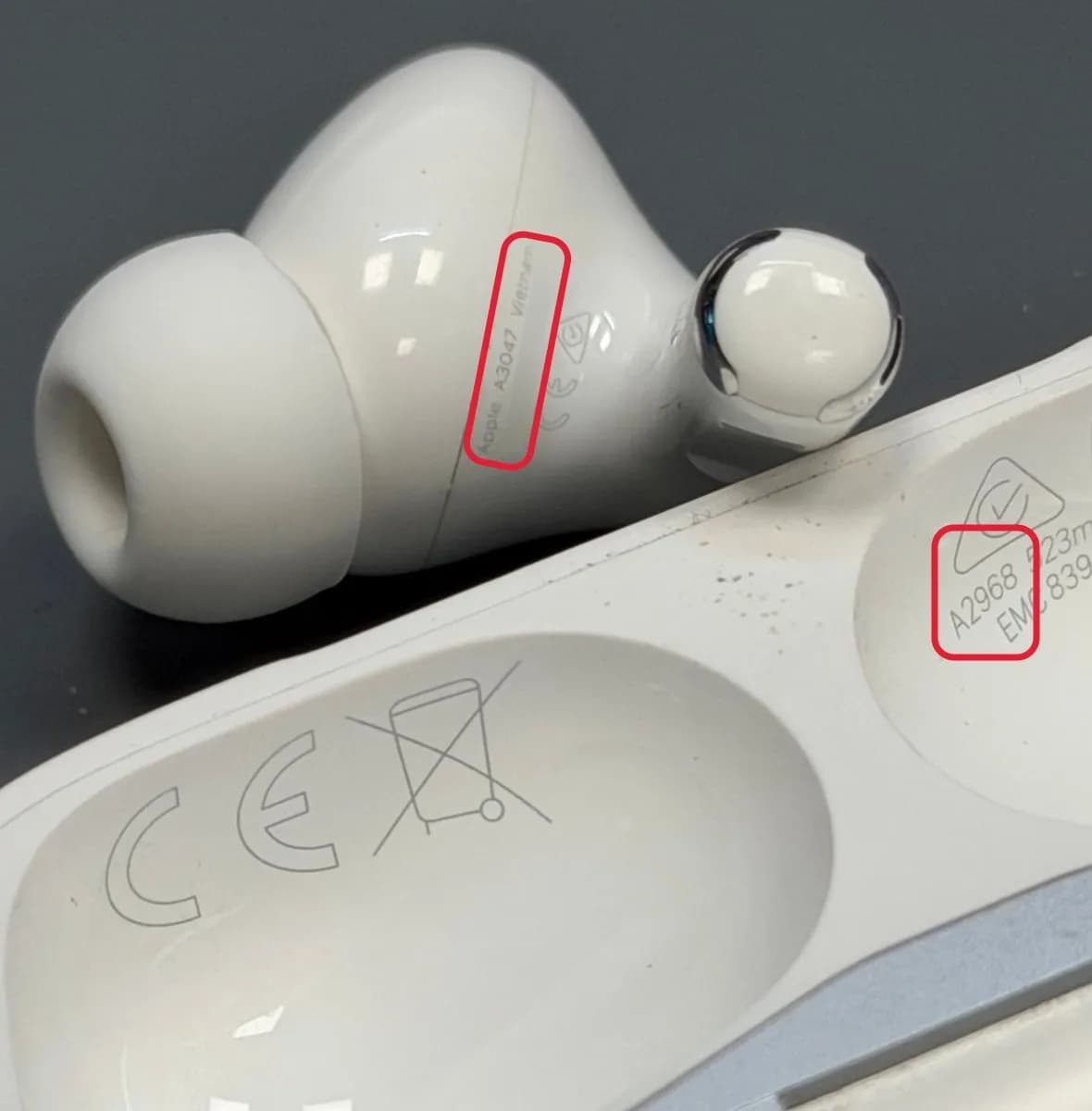
You'll see a number starting with A, for example A3047. The Model Name line doesn't show the generation.
The AirPods won't pair
- Take an earbud out of the case.
- A small number starting with A is printed on the earbud. On AirPods Pro it's on the part that goes into your ear.
- The number inside the lid belongs to the case, not the earbuds.